Ask Technigal: “Why does your website end in .online instead of .com?”
Oh, friend… this is a fun one. Pixel loves domain names — mostly because he thinks “.snacks” should be a thing. (It is not.)
When I created the Technigal blog, I had a lot of decisions to make: the design, the theme, the hosting, and of course… the URL. That little string of letters you type into your browser is more important than it looks.
Let’s break it down hero‑style.
What’s actually going on?
Your URL (or domain name) is the address of a website — the digital equivalent of a street address. When you type technigal.online, your computer doesn’t magically know where to go. It asks the internet’s phone book, called DNS (Domain Name System), to look up the correct server.
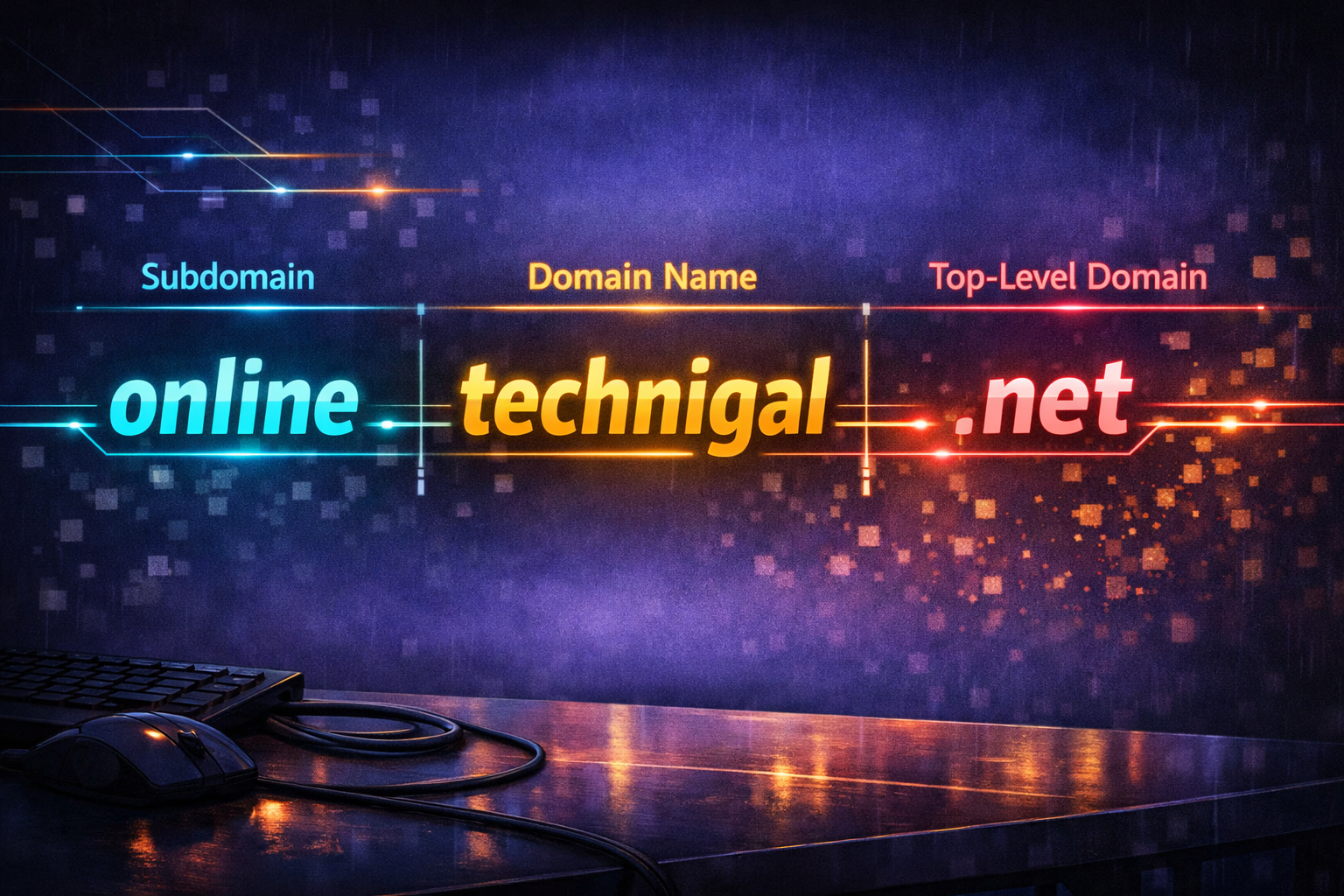
Every part of a domain name plays a role in getting you to the right place:
- The Host (www)
Typing www.technigal.net or technigal.net still brings you to my site.
“www” simply tells your browser, “Hey, we’re going to the World Wide Web.”
Some sites behave differently with or without it, but mine doesn’t mind either way. - The Subdomain (online)
This name appears before the main domain name and signifies a separate (unique) site within the main site. - The Secondary Domain (technigal)
This is the name I chose — my digital identity. If you typed techgal.com or technigal.org, you wouldn’t reach me because those addresses point somewhere else entirely. - The Top‑Level Domain (.net)
This is the ending of the URL — the part after the dot.
Common examples include:
-
- .com — commercial sites
- .org — nonprofits
- .edu — schools
- .gov — government
- Country codes — like .uk, .ca, .jp
There are hundreds of top‑level domains now, and each one has a different price.
Why does this matter?
The URL of a website isn’t just a name — it’s a map. And choosing the right map keeps people from getting lost.
Another important part of the address is the beginning:
HTTP:// vs. HTTPS://
The S means the site is secure and encrypted. If you’re entering passwords, banking info, or anything sensitive, make sure that S is there.
No S = no safety.
The TechniGal Truth
My website ends in .net because it was the right choice for my budget, my brand, and my mission. Every part of a domain name matters — from the host, to the name, to the ending, to the security prefix. And always, always check your spelling. A single wrong letter can take you somewhere very strange.